Pimp My Vault Alternative: Safer Fallout Shelter Save Editing
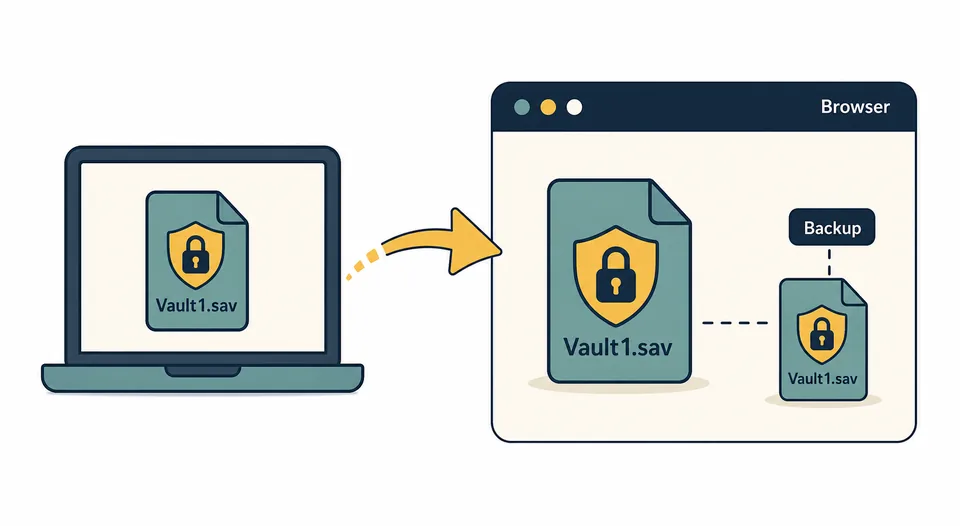
If you searched for Pimp My Vault, the intent is usually simple: you want to edit a Fallout Shelter vault without grinding for caps, lunchboxes, SPECIAL stats, rooms, or dwellers. The safer 2026 answer is to avoid unknown APK mirrors, keep the official Fallout Shelter app, copy your Vault1.sav file, edit that copy in a browser save editor, and restore it only after keeping a clean backup.
Quick Navigation
Quick Answer: Should You Still Use Pimp My Vault?
In most cases, no. You do not need a separate Pimp My Vault APK just to edit Fallout Shelter save values. A copied save-file workflow is easier to reverse, easier to troubleshoot, and less dependent on whether an old Android tool still works with your current device storage rules. The browser editor on this site runs locally in your browser, so the save-editing task stays focused on the file instead of requiring a new game app or a repackaged utility.
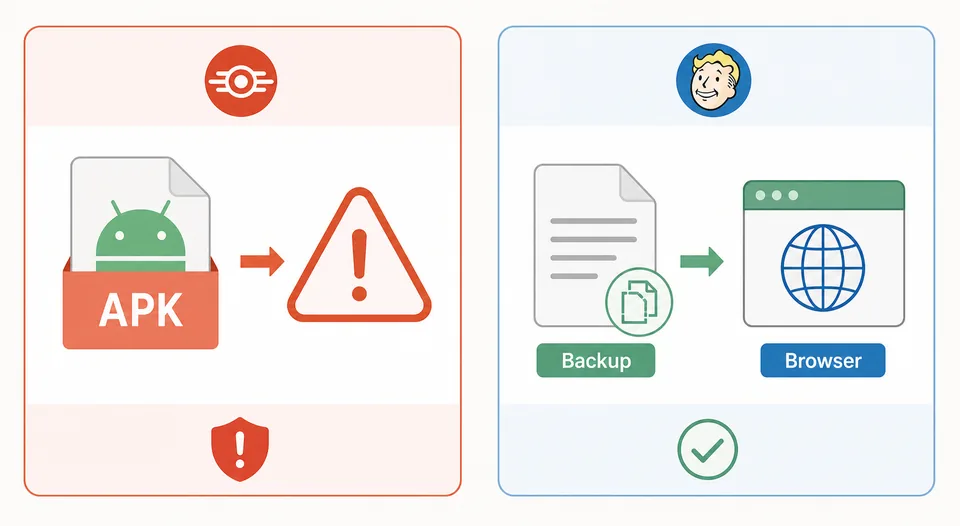
This does not mean every old mention of Pimp My Vault was fake. It means the risk/reward has changed. Fallout Shelter has official app and Steam listings, while third-party APK mirrors are outside that official distribution path. If your goal is to adjust a vault, the safer question is not "where can I download a modded editor APK?" but "how can I make a reversible backup and edit the save without breaking the installed game?"
Important: Do not edit your only copy of a vault. Save editors are powerful because they write directly to save data. A clean backup is the difference between a quick rollback and a lost vault.
Pimp My Vault vs Browser Save Editor
Pimp My Vault-style searches often mix several different intents: Android APK download, unlimited caps, dweller editing, old tool recovery, and "does this still work?" The table below separates those intents so you can choose the safest action instead of installing the first file you find.
| Search intent | Better action | Why |
|---|---|---|
| Pimp My Vault APK download | Use the APK alternative guide | Installing an unknown APK is unnecessary when the browser can edit a copied save file. |
| Edit caps, food, water, energy, lunchboxes | Open the browser Fallout Shelter Save Editor | Resource fields can be edited from Vault1.sav without replacing the game app. |
| Max SPECIAL, health, happiness, level | Follow the max values guide | Extreme values may load poorly; practical limits are easier to test and restore. |
| Android save access problem | Use the Android save editor guide | The hard part is often finding or copying the save file, not choosing another editor. |
| Broken edited vault | Use the save repair guide | Restoring .sav.bkp or rolling back a clean copy is safer than stacking edits. |
Safe Pimp My Vault Replacement Workflow
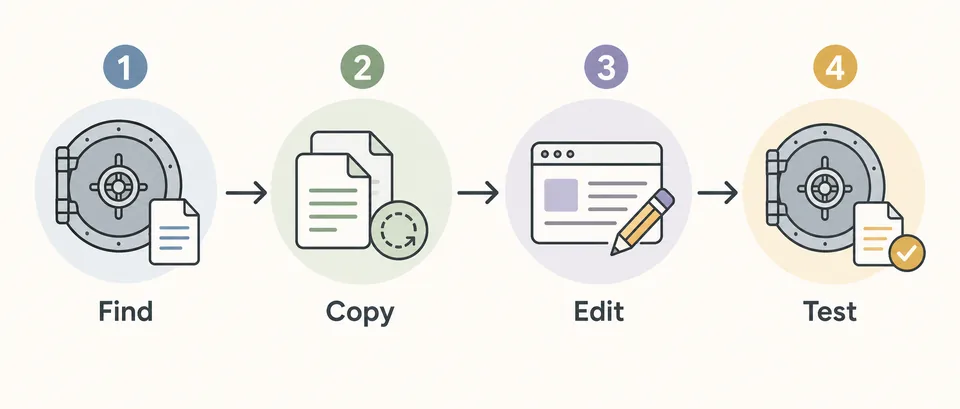
The safest replacement is deliberately boring. You keep the official game installation, copy the active vault save, edit only that copied file, and test one edited vault before making more changes. This approach works because Fallout Shelter stores vault progress in files such as Vault1.sav, Vault2.sav, and Vault3.sav. The exact folder depends on PC, Steam, Android, or iOS, so check the platform guide before moving files.
- Find the active save. Use Fallout Shelter save file locations to identify the right folder and vault slot. Do not guess between
Vault1.sav,Vault2.sav, andVault3.sav. - Copy a clean backup. Copy every matching
Vault#.savandVault#.sav.bkpfile to a separate backup folder before opening the editor. - Edit the working copy. Upload the copied
.savfile to the browser editor, make small changes first, then download the edited save. - Restore and test. Close the game, replace the original active file with the edited file using the same filename, launch the game, confirm the vault loads, then save again in-game.
Android and PC Notes
Android: the file access problem matters more than the editor name
On Android, Pimp My Vault searches are often really storage-access searches. Newer Android versions can make app data folders harder to browse, and a random APK may not fix that. Start with the Android guide: identify the save folder, copy the file with a method your device allows, and edit the copied file. If a file manager cannot show the folder, try a USB/desktop workflow or ADB-style file access before installing unknown utilities.
PC and Steam: avoid cloud overwrite surprises
On PC and Steam, the browser editor is usually straightforward because the save file is easier to copy. The bigger risk is restoring an edited file while the game or cloud sync is still active. Close Fallout Shelter first, keep the backup outside the save folder, and check the PC and Steam guide before testing large edits. If Steam Cloud restores an older file, use the cloud save and backup guide to choose the correct local/cloud copy.
iOS: extraction is the limiting step
On iPhone and iPad, the editor can still work after you obtain the save file, but extracting and restoring the vault is more advanced than on PC. Use the iOS save editor guide for backup extraction methods and restoration checks. Do not install unrelated iOS tools that promise instant vault edits without explaining how they access the actual save file.
What You Can Edit Without Pimp My Vault
A browser Fallout Shelter save editor can handle the common edits people associate with Pimp My Vault: caps, Nuka-Cola Quantum, food, water, energy, lunchboxes, Mr. Handies, pet carriers, dweller SPECIAL stats, happiness, health, radiation, level, outfits, weapons, vault mode, themes, rooms, recipes, and some wasteland explorer state. For manual inspection or advanced JSON edits, use the Save Decryptor, then re-encrypt the file before restoring it.
The safer habit is to make one category of change at a time. For example, first adjust caps and launch the vault. Then adjust a few dweller stats. Then test item or room edits. If the vault stops loading after a large batch, you will not know which field caused the problem. Smaller edits make recovery much faster.
Best default: Use Pimp My Vault as a search clue, not as a required tool. If your actual goal is "edit my Fallout Shelter save," the browser editor plus backup workflow is the cleaner path.
When Not to Create Another Edited Save
Do not keep editing the same broken file. If Fallout Shelter ignores the edited save, crashes during loading, resets the vault, or restores an older cloud copy, stop and return to the clean backup. Then compare filenames, folder paths, timestamps, and cloud prompts before trying again. If you need recovery steps, start with Repair Fallout Shelter Save rather than downloading more editors.
Also avoid editing values you do not understand just because they are visible in JSON. Some values are tied to game state, timers, references, or item IDs. If you only want a stronger vault, practical edits such as resources, dweller stats, and known inventory fields are safer than changing every unfamiliar field.
Sources and Official Context
Fallout Shelter remains distributed through official channels such as Bethesda's Fallout Shelter page, Steam, and Google Play. Those sources are useful for confirming the official game identity and platform availability, but they do not publish an official Pimp My Vault-style save editor. Treat third-party editor downloads as separate software decisions, not as official Fallout Shelter updates.
FAQ
Is Pimp My Vault still the best Fallout Shelter save editor?
For most players, no. A browser-based save editor is safer because you can keep the official game app, edit a copied Vault1.sav, and restore from backup if anything goes wrong.
Can I edit the same values without Pimp My Vault?
Yes. Common Pimp My Vault-style edits such as caps, resources, lunchboxes, dwellers, stats, health, happiness, outfits, weapons, rooms, and recipes can be handled through the browser editor when you have the save file.
Do I need root to use a Pimp My Vault alternative?
No root is needed for the browser editor itself. On Android, root may be discussed only because some users struggle to access app data folders. Try normal file manager, USB, desktop, or ADB-style copy methods first.
Is a Pimp My Vault APK safe?
It depends on the exact file and source, but unknown APK mirrors add risk that is not required for save editing. If you only need to edit a vault, copying Vault1.sav and using a browser editor is easier to audit and reverse.
What if my edited save will not load?
Restore your untouched backup first. Then repeat with smaller changes, confirm the filename and folder, and check whether cloud sync overwrote the local file. Use the save repair guide if the vault remains broken.
Final Recommendation
The best Pimp My Vault alternative is not another risky download. It is a controlled save-file workflow: find the correct vault file, keep an untouched backup, edit a copy in the browser, restore with the original filename, and test before making more changes. That gives you the same practical outcome while keeping the official game app and a rollback path intact.