What This Guide Covers
Quick Answer: You Do Not Need a Save Editor APK
There is no official Fallout Shelter save editor APK from Bethesda. Bethesda's own support page directs Android players to download Fallout Shelter through Google Play or the official Fallout Shelter website, while save editing is a separate process that works on the vault file. That file is usually named Vault1.sav, Vault2.sav, or Vault3.sav. Once you have a copied save file, the free online Fallout Shelter Save Editor can open it in your browser without replacing the game app.
This matters because an APK install changes the app side of the workflow, while a browser editor changes only a copied save file. A copied file is easier to back up, easier to restore, and easier to test. If the edit fails, you can put the original .sav back. If an unknown APK behaves badly, you have a larger recovery problem.
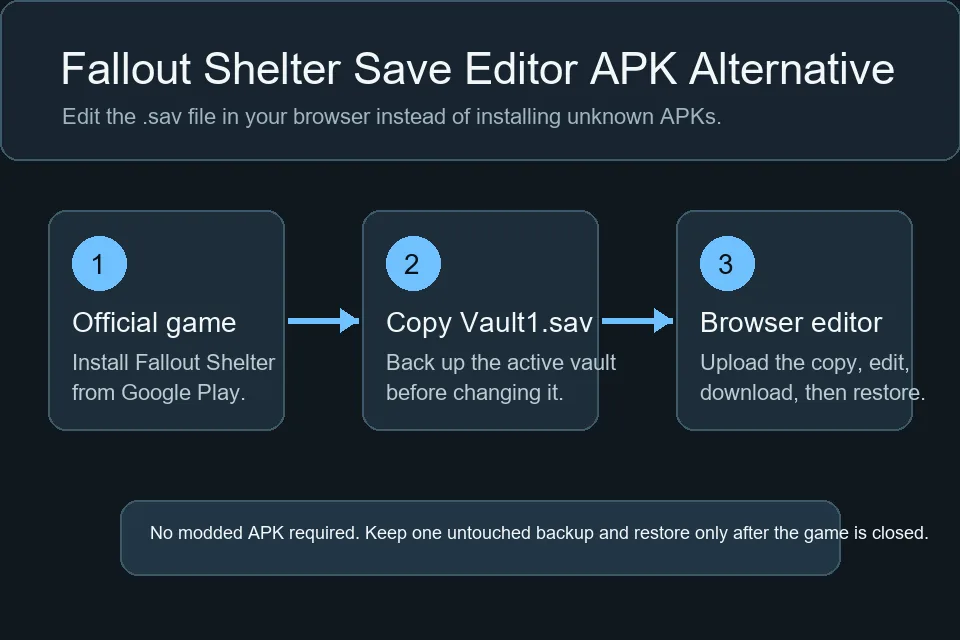
Safety note: Do not overwrite your only working vault while testing any editor. Keep one untouched backup outside the Fallout Shelter folder before restoring a modified Android save.
Fallout Shelter Save Editor APK vs Browser Editor
The search phrase "save editor APK" can mean several things: a modded Fallout Shelter app, a separate Android editor app, or a browser save editor that works on Android files. Those are not equivalent. For most users, the browser workflow is the cleaner choice because it does not ask you to trust a new Android package with your game app, device permissions, or installation source.
| Option | What it changes | Best fit | Main risk |
|---|---|---|---|
| Browser save editor | A copied .sav file after you upload it locally in the browser |
Players who want to edit caps, stats, resources, lunchboxes, or dwellers without installing another app | You still need to restore the edited file to the correct Android folder and keep backups |
| Separate editor APK | An Android package installed on the device | Only users who fully trust the package source and understand Android permissions | Unknown packages can be outdated, unsupported, or unsafe, and may not handle current Android storage rules |
| Modded Fallout Shelter APK | The game app itself | Not recommended for a normal save-editing workflow | Can replace the official app, conflict with updates, or make recovery harder than editing a copied save |
Practical rule: If your goal is to change a vault value, edit the vault file. Do not install a modified game package just to change caps, SPECIAL stats, or lunchboxes.
The Safer Android Save Editing Workflow
The browser workflow has the same basic logic on Android 10, Android 11, Android 12, Android 13, Android 14, and Android 15: find the active vault file, copy it out, edit the copy, then restore the edited file after testing. Android storage restrictions can change how you access the folder, but they do not change the save-editing principle.
-
Close Fallout Shelter completely Do not edit while the game is writing the vault. Use the Android app switcher and close the game before copying or restoring the save.
-
Find the active vault file Look for
Vault1.sav,Vault2.sav, orVault3.sav. If the Android data folder is hidden, use the Android save editor guide for file manager, USB, and ADB options. -
Make two copies Keep one untouched backup and one working copy. Rename the backup with a date so you never confuse it with the edited file.
-
Edit the working copy in your browser Open the online save editor, load the copied
.sav, make one group of changes, and download the modified file. -
Restore with the exact vault filename Put the edited file back as
Vault1.sav,Vault2.sav, orVault3.sav, matching the slot you copied. Launch the game, confirm the edit, close, reopen, and confirm it still loads.
If you are moving a vault between Android and PC, the save format is still the same. Copy the Android save to your computer, edit it, then place it in the PC or Steam save folder using the PC and Steam guide. If you only need file paths for every platform, start with the Fallout Shelter save locations guide.
Android File Access Notes
Android file access is the part that usually creates confusion. Older Android versions often let file managers browse app data directly. Newer Android versions restrict access to parts of internal app storage; the Android 11 storage documentation explains that apps can no longer access files in another app's dedicated app-specific directory on external storage. That is why the same path can appear empty even when Fallout Shelter still has a working vault.
When that happens, do not assume an APK editor will solve the problem. A separate APK may face the same platform storage restrictions. Instead, try a conservative file-access path first: a compatible file manager, USB transfer through a desktop, or Android Debug Bridge if you are comfortable with command-line tools. The dedicated Fallout Shelter Android save editor guide walks through those options in detail.
| Problem | Likely cause | Better next step |
|---|---|---|
| The Android data folder looks empty | Android 11+ storage restrictions or file manager limitations | Use the Android guide's USB, file manager, or ADB workflow instead of installing an unknown APK |
| The game ignores the edited save | Wrong vault slot, wrong folder, or cloud/local conflict | Restore the edited file with the exact original filename after the game is fully closed |
| The edited vault crashes | Too many changes at once or an invalid value | Restore the untouched backup and repeat with one smaller edit |
When an APK Download Is Especially Risky
APK files are not automatically bad; Android apps are distributed as APK packages. The issue is trust and fit. A Fallout Shelter save editor APK from an unknown mirror can be old, repackaged, poorly documented, or built for a storage model that no longer works on your phone. A modded game APK can also replace or conflict with the official app, which is unnecessary when the goal is just to edit Vault1.sav.
Be extra cautious if a download page promises unlimited resources but does not explain backups, file locations, Android version limits, or how to restore the original game. A real save-editing workflow should make recovery boring: backup first, edit a copy, restore once, test, then keep the backup until you are sure the vault is stable.
Better alternative: Use the official game app for gameplay and a browser editor for the copied save. That separates app trust from save editing and keeps every change reversible. If you arrived here through an older Pimp My Vault search, the same backup-first advice applies.
Troubleshooting Android Save Editor Problems
The editor cannot open my Android save
Confirm the file is a real .sav file copied from Fallout Shelter, not a backup folder, cloud placeholder, compressed archive, or renamed download. If you manually decrypted the file into JSON, use the Save Decryptor for the JSON workflow instead of uploading JSON to the main editor.
I cannot find Vault1.sav
Use the Android-specific guide before trying APK shortcuts. The file may be in a protected app data folder, the active vault may be Vault2.sav or Vault3.sav, or the file manager may not have permission to show the folder. Copying the right file is more important than choosing a different editor.
My restored save is overwritten
Cloud sync or the running game can overwrite local changes. Close Fallout Shelter first, restore the edited file, then launch once to verify. If the game keeps restoring an older version, temporarily isolate the test by keeping backups and checking which file timestamp changes after launch.
I want maximum values on Android
Use the same safe limits as PC and Steam players. The max values guide explains practical limits for SPECIAL stats, level, happiness, caps, resources, and item batches. Android does not make extreme raw values safer.
FAQ
Is there an official Fallout Shelter save editor APK?
No. Bethesda publishes the game, not an official save editor APK. For save editing, keep the official game app and edit a copied .sav file in the browser-based editor.
Can I use the Fallout Shelter save editor on an Android phone?
Yes, if you can copy the vault save file to a location your browser can upload from. Many users find it easier to copy the file to a computer, edit it there, and then restore it to Android.
Does the browser editor upload my save to a server?
No. The editor runs in your browser and processes the save file locally. You still need to protect the file yourself by keeping a clean backup before restoring the edited version.
Will a save editor APK bypass Android 11+ file restrictions?
Not necessarily. Many APKs face the same Android storage rules. If the problem is access to the Fallout Shelter data folder, follow a file-access workflow first rather than installing unknown packages.
Can I edit a Fallout Shelter Android save without root?
Often yes. Root is not required for the browser editor itself. The hard part is copying the active .sav file, especially on newer Android versions. Try file manager, USB, or ADB methods from the Android guide.
Final Recommendation
For most Android players, a Fallout Shelter save editor APK adds risk without solving the real task. The safer workflow is simple: keep the official game app, copy your active vault, use the browser save editor on the copied file, restore the edited save with the original filename, and keep the untouched backup until the vault has loaded and saved again.