Fallout Shelter Mods: What Works on PC, How to Install, and Safer Alternatives
Searching for Fallout Shelter mods usually means one of three different things: a PC/Steam community mod, a trainer that changes the running game, or a save editor that changes a copied Vault1.sav file. Those are not interchangeable. The safest starting point is to identify the kind of change you actually want, keep an untouched backup, and use the source page for the individual file instead of a random “mod APK” mirror. If your goal is only to edit dwellers, resources, or SPECIAL stats, the browser-based Fallout Shelter Save Editor is a more focused workflow than installing an unknown package.

What This Guide Covers
What Do Fallout Shelter Mods Usually Mean?
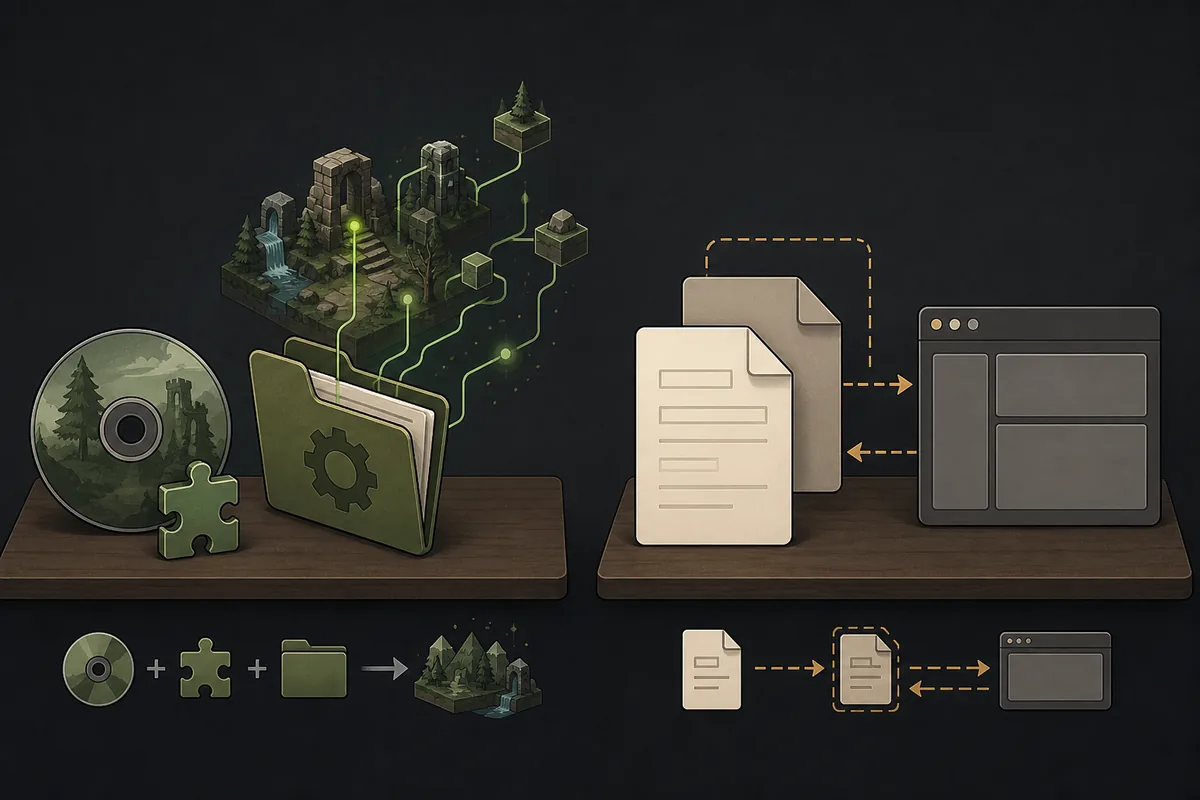
In search results, “Fallout Shelter mods” is a broad label rather than a single official product. Some pages discuss PC trainers, some discuss community files that alter gameplay, and others use “mod” to describe an unofficial Android package. A mod page can also be a guide, a configuration file, an executable helper, or a save-data example. That variety is why the first decision should be about the desired outcome, not the most dramatic download button.
If you want new behavior in the PC game, you are looking at a community mod or trainer. If you want to change a vault that already exists, you are looking at save editing. If you want to move a vault between devices, you are looking at file access and transfer. These tasks can touch the same Vault1.sav file, but they do not have the same failure modes. The save file locations guide explains where the file lives, while the PC and Steam save editor guide covers a copied-save editing workflow.
Quick answer: PC/Steam is the most realistic place to investigate community mods. Android and iOS should not be treated as interchangeable mod targets. For vault-data changes, a clean backup plus a browser save editor is usually easier to reverse than stacking an unknown mod package on top of the official game.
Mods vs Save Editors, Trainers, and Mod APKs
The table below keeps the common terms separate. It is not a promise that every community file behaves exactly this way; individual files still need their own source and compatibility checks.
| Term | What it normally changes | Typical target | Main rollback concern |
|---|---|---|---|
| Community mod | Game behavior, assets, rules, or a specific feature supplied by a community author | Usually PC or Steam; depends on the individual file | Wrong dependency, game update, loader conflict, or an untrusted package |
| Trainer | Runtime values while the game is running, often through a separate helper | Usually Windows desktop | Security, stability, antivirus warnings, and changes that are not stored cleanly |
| Save editor | Copied vault data such as dwellers, resources, SPECIAL, or selected flags | PC, Steam, Android, and iOS with different file-access steps | Corrupt or invalid save data; keep the original and use small test edits |
| Mod APK | A repackaged mobile application that claims to change the game or unlock content | Unofficial Android distribution | Unknown code, account/data risk, stale package, and conflict with the official app |
Which Platforms Are Realistic for Fallout Shelter Mods?
PC and Steam: the clearest mod discussion
PC is where most Fallout Shelter mod and trainer conversations make practical sense because users can inspect folders, manage dependencies, restore files, and use desktop security tools. Steam adds another variable: cloud synchronization can restore an older state after a local change. Before testing a community file, close the game, copy the active save, and decide how you will handle Steam Cloud. The cloud save and transfer guide covers the broader local-versus-cloud checks.
Do not assume that a file described as “PC” supports every build. A community author may have tested one release, a particular launcher, or a particular executable layout. Read the source page for dependencies and installation order, then change one variable at a time. If the goal is only to adjust a dweller or resource, compare the effort with a save edit before adding a runtime loader.
Android: separate file access from mod installation
Android users often search for “mod APK” when the real problem is finding or editing a save. That is a different problem. Android versions restrict access to Android/data differently, and an unofficial repackaged game can introduce risks that are unrelated to vault editing. Keep the official game installed, use the Android save editor guide for file access, and do not treat a PC mod as an Android-compatible package.
iOS: do not port PC mod assumptions
iPhone and iPad save access follows an export-and-restore workflow rather than normal desktop folder access. A PC mod, trainer, or mod loader is not a drop-in iOS solution. If you need to move or edit a vault, use the iOS save editor guide and keep an untouched export before changing anything.
Platform warning: “Works with Fallout Shelter” is not enough evidence. Check the operating system, launcher, game build, dependencies, and whether the file changes the game installation or only a save. Never install a mobile package just because its title contains “mod.”
How to Evaluate a Fallout Shelter Mod Source
A useful source page answers more than “download now.” Before you install anything, look for the author, change history, supported platform, required loader or dependency, installation location, uninstall method, known issues, and recent user reports. A page that hides the file behind several redirects, claims every premium item is unlocked, or offers a random APK without a changelog should be treated as a warning sign.
- Start with a known source context. Use the official Fallout Shelter Steam page to confirm the PC game context, and use the individual community page rather than a copied mirror when researching a mod.
- Read the complete file description. Check supported builds, dependencies, permissions, file type, install path, and removal steps. “Latest” is not a permanent property; it must be verified on the source page on the day you use it.
- Separate evidence from marketing. A screenshot or download counter does not prove that a file is safe, current, or compatible. Prefer a transparent changelog and meaningful issue discussion.
- Check whether the file is actually a trainer. Runtime tools can behave differently from a file-based mod. Do not mix instructions for a trainer, a loader, and a save editor.
- Keep the rollback path visible. If you cannot explain how to uninstall the change and restore the original save, stop before installing it.
The Nexus Mods Fallout Shelter hub is a useful example of a community source context, but it is still not an official Bethesda download channel. A community listing can help you discover a file; it does not remove the need to read that file's own requirements, update history, and comments.
A Backup-First Install and Test Workflow
Use this sequence whether you are testing a small PC mod or comparing a mod with a save-editor workflow. The goal is not to make every change risk-free; it is to keep one known-good state and make failures diagnosable.
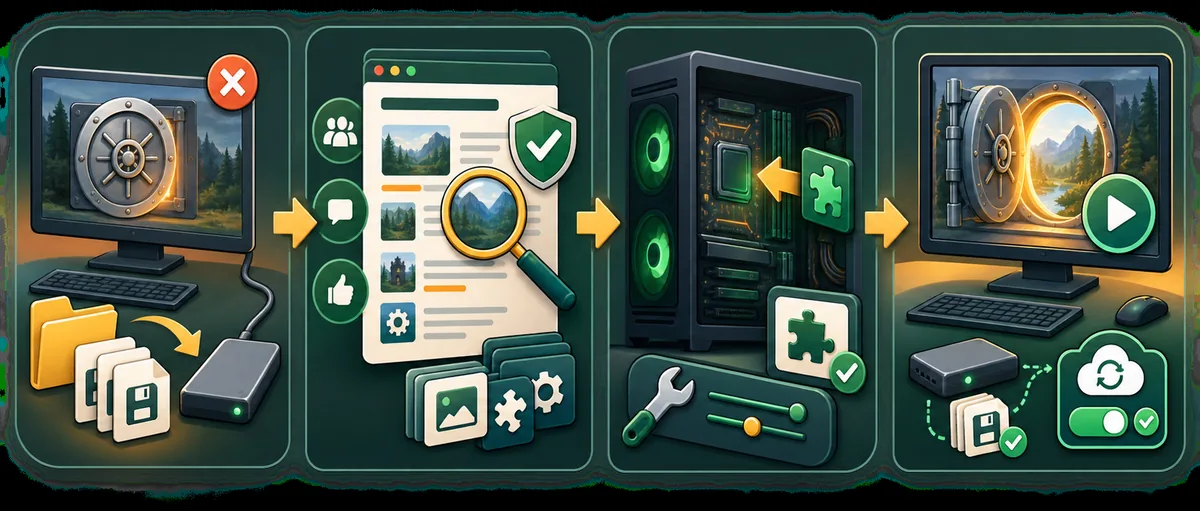
- Close Fallout Shelter completely. Do not copy or replace a file while the game is still writing to it. If a launcher is open, note whether it can synchronize the save automatically.
- Find the active vault and create a dated copy. Use the platform path guide, then copy
Vault1.sav,Vault2.sav, orVault3.savto a separate folder. Keep the original filename and add a date to the backup copy so you know which state it represents. - Record the source and current state. Save the source-page URL, file name, dependency, game platform, and the vault state you are testing. This is especially useful when a mod changes a setting but the game later appears to revert it.
- Change one thing. Install one mod or make one small save edit. Do not combine a new loader, a trainer, a large resource edit, and a cloud-sync change in one test.
- Launch and test a short scenario. Check the menu, load the vault, enter a room, collect a resource, and save normally. If the game crashes or the vault disappears, stop and restore the known-good copy using the save repair guide.
- Check cloud behavior before keeping the change. If Steam Cloud or another sync system restores an earlier copy, do not repeatedly overwrite the file. Resolve the local-versus-cloud choice first, then repeat the test from the backup.
Practical rule: Keep two backups: the untouched original and the last tested working state. A single backup is easy to overwrite accidentally while troubleshooting.
What If a Fallout Shelter Mod Does Not Work?
The mod does nothing
Recheck the platform, game build, install location, dependency, and activation step. Some community files are not automatic “drop-in” replacements. If the file is meant to change a save rather than the running game, launch-time testing will not prove that the save was edited correctly.
The game crashes or the vault will not load
Remove the new change, restore the last working copy, and test the official game without the mod. Do not keep clicking through launch failures while the launcher is syncing. If the save itself is damaged, use the Fallout Shelter save repair workflow and keep the original `.sav` or `.sav.bkp` untouched.
Steam restores the old state
This is usually a synchronization decision, not proof that the mod is broken. Stop editing, preserve both local states, and follow the cloud conflict steps before choosing which copy should become authoritative. The PC and Steam guide explains how to work with a copied save and reduce accidental overwrites.
The only result is a mod APK
Do not use a random Android package as a substitute for a missing save path. The existing APK alternative guide explains why browser-based save editing can meet the actual goal without replacing the official game app. If a page cannot provide a verifiable source, version context, permissions, and removal path, leave it alone.
Safer Alternatives When You Only Need Vault Changes
Many readers who search for mods actually want one of four outcomes: more caps, different SPECIAL values, a named dweller, a restored save, or a way to move a vault. Those are save-data tasks. A save editor does not add new gameplay code, but it can be a more direct and reversible way to test a copied vault. The max values guide is useful when the question is how far to change a field without creating an unrealistic or unstable state.
For normal gameplay systems, prefer the official game and its own progression. For a copied-save experiment, use the browser editor, download the modified copy, and keep the original in a separate folder. For manual JSON inspection, the Save Decryptor can be useful, but it is still not a replacement for a backup or a validation pass.
This distinction also makes internal troubleshooting easier. If a PC mod changes the game behavior, remove the mod and retest. If a save editor changes the vault, restore the original save and compare. If both are installed at once, you may not know which layer caused the problem.
Fallout Shelter Mods FAQ
Are Fallout Shelter mods available on PC?
Community mods and trainers are primarily a PC or Steam discussion. They are distributed by different community pages, so check the individual source, game version, dependencies, and comments instead of assuming one universal installer.
Is a Fallout Shelter mod the same as a save editor?
No. A mod or trainer usually changes game behavior or the running environment, while a save editor changes copied vault data such as dwellers or resources. They have different compatibility and rollback risks.
Can I install Fallout Shelter mods on Android or iOS?
Do not assume that a PC mod works on mobile. Android and iOS use different packaging, permissions, and save access. Avoid unverified mod APK claims and use the platform save guides and browser editor when the goal is vault-data editing.
How do I test a Fallout Shelter mod safely?
Close the game, copy the active vault to a dated backup, record the current game and source details, change one thing at a time, test locally, and check that Steam Cloud has not replaced the edited state before keeping the change.
Where should I download a Fallout Shelter mod?
Use the individual official or established community source page for the mod and verify its current files there. This guide does not provide a guessed direct binary URL or call an unverified mod APK safe or official.
Sources and Verification Notes
This page was written as a source-checking and decision guide, not as a list of permanent download links. Official store pages provide the game context and current platform listings; community pages provide mod-specific files and change histories. Neither source type makes every third-party file safe by default.
- Fallout Shelter on Steam — official PC/Steam listing and platform context.
- Nexus Mods Fallout Shelter hub — community source context; check each mod page separately.
- Bethesda Fallout Shelter page — official game context and publisher source.
- Fallout Shelter on Google Play and Fallout Shelter on the App Store — official mobile listings; they are not mod-download pages.
Final Recommendation
Fallout Shelter mods can be useful for PC players who understand the source, dependencies, platform, and rollback path, but the phrase covers several different tools. Start with the smallest change, keep an untouched vault backup, and treat “latest,” “safe,” and “official” as claims that must be verified on the source page rather than permanent labels. If your real goal is to adjust a vault save, use the platform guide to find the file and choose a focused save-editor workflow before installing an unknown mod or mod APK.