Fallout Shelter Best Weapons and Outfits: Safe Equipment Editing Guide
The best Fallout Shelter weapons and outfits are not just the rarest names in your inventory. For save editing, the safer goal is to equip the right dwellers with known high-value gear, test the vault after each batch, and avoid broken item references that can make Vault1.sav hard to recover. This guide explains what to prioritize before you change weapons, outfits, or armor with a save editor.
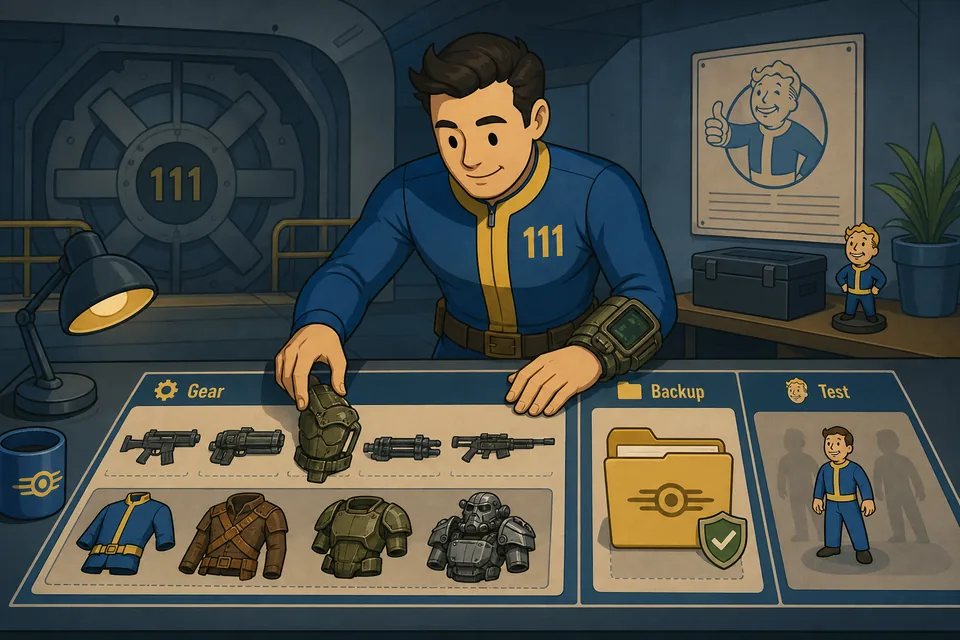
What This Guide Covers
Quick Answer: Best Weapons and Outfits by Role
If you only want a practical answer, use your strongest weapons on dwellers who actually fight often: vault door guards, quest teams, wasteland explorers, and rooms that handle incidents. For outfits, match the SPECIAL bonus to the job instead of giving every dweller the same armor. Endurance is useful before leveling, Strength helps power rooms, Perception helps water rooms, Agility helps diners, Intelligence helps medbays and science labs, Charisma helps radio rooms and breeding, and Luck improves rush and reward outcomes. Use the complete SPECIAL stats chart when you need the matching room, training room, and quest effect for every letter.
Best weapon is a role decision, not only a damage number. Use the strongest reliable weapon for the next fight you are preparing: focused damage for quest teams, broad coverage for vault defense, and a balanced loadout for wasteland explorers. If you are changing equipment with the editor, link the item choice to one dweller or one team first, then test the save before repeating the change across the vault.
| Use case | Weapon priority | Outfit priority | Save editor note |
|---|---|---|---|
| Vault door defense | Use your highest reliable damage weapons first. | Endurance or combat-focused outfits are practical. | Edit two guards first, then test an incident before batch changes. |
| Quest teams | High single-target legendary weapons are usually strongest. | Endurance, Agility, or role-specific SPECIAL outfits. | Keep each quest dweller's weapon and outfit fields paired with known items. |
| Wasteland explorers | Strong all-purpose weapons with high damage ranges. | Endurance before leveling, then Luck or useful survival bonuses. | Do not edit every inventory field at once if the explorer is already outside. |
| Production rooms | Moderate weapons are enough until incidents become frequent. | Match room stat: S, P, A, I, or C. | Equipment edits are safer than unrealistic base SPECIAL edits. |
| Collection completion | Unlock known recipes first, then craft or assign gradually. | Use workshop and list pages to confirm item names. | Avoid unknown IDs and copied JSON fragments from another vault. |
Best save-editing rule: equip known weapons and outfits from the editor dropdowns before you try manual JSON item IDs. Known entries are easier to test and easier to reverse.
What Is the Strongest Weapon in Fallout Shelter?
Dragon's Maw is a common answer when players compare maximum listed damage, while Vengeance is often favored for quests because its rapid multi-shot attacks can continue onto another target. MIRV and other high-end legendary weapons remain useful when you want heavy damage, but there is no single best choice for every room, quest, or incident.
Best weapons for Deathclaws and vault defense
For Deathclaw attacks, prioritize the vault door and the first occupied rooms. Give several responders your highest reliable damage weapons instead of placing every legendary weapon on one dweller. The goal is sustained room-wide damage while the attackers move through the vault. The dedicated Deathclaw defense guide explains when to prepare, how to keep a home-defense group, and what to do if an incident goes badly. If you use the save editor, upgrade two or three defenders, test an incident, then continue only after the vault saves normally.
Best weapons for quests and wasteland explorers
Quest teams benefit from strong single-target or fast multi-shot weapons because removing one dangerous enemy early reduces incoming damage. Wasteland explorers need dependable high damage plus suitable outfits; do not change every equipment and inventory field while an explorer is already outside the vault. For the full field build, including SPECIAL priorities, Stimpaks, RadAway, and when to recall, see the wasteland explorer stats guide.
How to Choose Fallout Shelter Weapons
Searches for Fallout Shelter best weapon, Fallout Shelter weapons list, and best weapons in Fallout Shelter usually have two different intents. Some players want a normal gameplay ranking. Others already have a save editor open and want to know which equipment changes are worth making. The answer changes depending on the role.
For quests and boss-style fights, prioritize high-damage legendary weapons and strong single-target weapons. Weapons such as Dragon's Maw, Vengeance, MIRV, high-end plasma weapons, and gauss variants are commonly discussed because they sit near the top of practical damage output. For vault defense, the exact weapon type matters less than making sure your first responders are not holding weak starter weapons. For production rooms, you can spread mid-tier weapons widely instead of giving every room your best legendary gear.
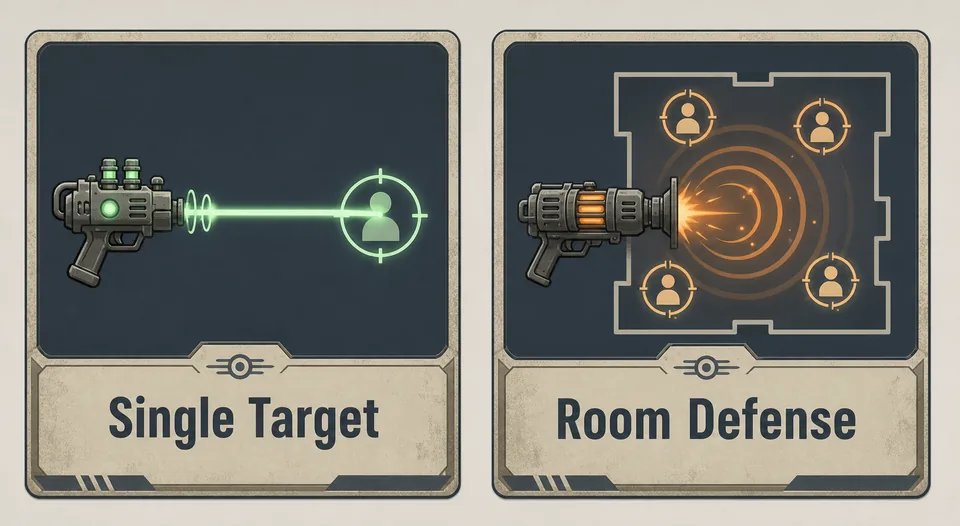
Single-target weapons
Single-target weapons are a good first choice for questing because you often want to remove one dangerous enemy quickly. If you are editing a quest team, give each dweller a reliable high-damage weapon, test one quest or encounter, then back up the working save again.
Area and room defense weapons
Room defense is less about one perfect item and more about coverage. If a room has several dwellers with acceptable weapons, incidents are easier to control. When editing a save, upgrading the weakest defenders can be more useful than stacking every legendary weapon on the same two dwellers.
Workshop and recipe unlocks
The main editor can unlock recipes, but recipe unlocks and item assignments are different edits. Unlocking recipes gives you long-term crafting options. Assigning weapons changes a dweller record immediately. If you use both, do them in separate passes so you know which change caused a problem if the vault behaves strangely.
Best Fallout Shelter Outfits and Armor Priorities
Outfits are valuable because they add SPECIAL bonuses without forcing unrealistic base stat values. That is why outfit editing is often safer than setting every base stat to 99. A trained dweller with a sensible outfit bonus is easier for the game to display and save than a dweller with impossible raw values.
| Outfit bonus | Best use | Why it matters | Editing caution |
|---|---|---|---|
| Endurance | Leveling dwellers and survivability planning | Endurance is especially important before a dweller gains levels. | Do not use outfit bonuses as a reason to force base SPECIAL above normal limits. |
| Strength | Power rooms | Matches power production and keeps workers efficient. | Assign the outfit to workers in the correct room, not random idle dwellers. |
| Perception | Water rooms and some exploration/quest checks | Useful when the dweller's role depends on awareness and water production. | Test after changing several water-room workers. |
| Agility | Diners and quest combat feel | Often chosen for food rooms and active combat teams. | Keep combat outfit edits separate from weapon edits when debugging. |
| Intelligence | Medbays and science labs | Improves medical production roles. | Do not accidentally move your best combat gear to production-only dwellers. |
| Luck | Rushes, rewards, and general late-game utility | Useful after core survival and room roles are covered. | Use it as a role bonus, not a fix for every weak dweller. |
Power armor and combat armor
Players often search for the best armor in Fallout Shelter because armor feels like a universal answer. In practice, combat armor and power armor-style outfits are strongest when they support the dweller's actual task. Give defensive gear to fighters and explorers first. Use production SPECIAL outfits for rooms where no combat is expected for long periods.
Outfit list completion
If your goal is collecting every outfit, use an outfit list or workshop reference to confirm the name before editing. Some event or season items may differ by game version and platform. When in doubt, edit one item on one copied save and confirm it appears in game before applying the same idea to a main vault.
How to Edit Weapons and Outfits Safely
A Fallout Shelter save editor can change equipped weapon and outfit fields, but that does not mean every possible combination is equally safe. The save file expects item references, dweller records, room state, and inventory state to remain internally consistent. The safest workflow is slow, visible, and reversible.
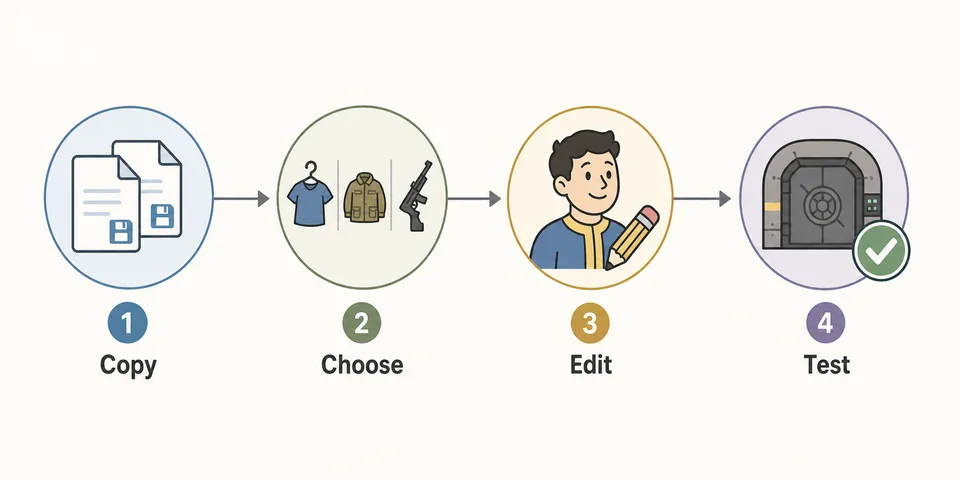
- Copy the save first. Close Fallout Shelter, copy
Vault1.sav,Vault2.sav, orVault3.savto a safe folder, and leave any.sav.bkprecovery file untouched. - Open the copied file in the editor. Use the browser Fallout Shelter Save Editor so the save stays local in your browser.
- Pick known weapons and outfits. Prefer dropdown entries or verified item names over manual JSON IDs.
- Edit one role first. Start with two guards, one quest team, or one explorer. Do not change every dweller in the same pass.
- Restore and test. Launch the game, check the equipment, let the vault save, close the game, and reopen it once.
- Make a new backup after success. Once the edited equipment works, save that working state before the next round.
Steam Cloud warning: if you edit PC or Steam saves, make sure cloud sync does not replace your edited vault with the older cloud copy. Use the PC and Steam save editor guide before replacing live files.
Equipment Edits to Avoid
Most equipment problems come from editing too much at once or using values that the game does not recognize. If the normal editor interface can change the field, use that first. Manual JSON editing is useful for inspection, but it is easier to break commas, brackets, nested records, or item references.
- Do not paste unknown item IDs from another vault unless you understand the surrounding record structure.
- Do not edit every dweller at once when you are testing a new equipment plan.
- Do not combine equipment edits with huge stat edits in the same test pass. If the save breaks, you will not know which change caused it.
- Do not overwrite your only backup after the first successful load. Let the game save, close, reopen, then make a new backup.
- Do not assume every online list matches your game version. New seasons, platform updates, or event items can change what exists in your save.
Useful Sources and References
The official Fallout Shelter pages describe the game loop, vault management, wasteland exploration, and platform availability. Community wiki references are useful for checking broad weapon and outfit categories before you edit equipment fields.
- Bethesda Fallout Shelter official page
- Fallout Shelter on Steam
- Fallout Wiki: Fallout Shelter weapons
- Fallout Wiki: Fallout Shelter outfits
FAQ
What is the best weapon in Fallout Shelter?
For most late-game players, high-damage legendary weapons such as Dragon's Maw, Vengeance, MIRV, and strong plasma or gauss variants are the first names to consider. The best practical choice still depends on role: quest teams need focused damage, while room defense needs enough total coverage across several dwellers.
What is the strongest weapon in Fallout Shelter?
Dragon's Maw is a common answer for maximum listed damage. Vengeance can be more practical on quests because its rapid multi-shot attacks may continue onto the next enemy. Use the weapon that fits the encounter rather than treating one damage number as the only ranking factor.
What are the best Fallout Shelter weapons for Deathclaws?
Use your highest reliable damage weapons on vault door guards and dwellers in the first occupied rooms. Dragon's Maw, Vengeance, MIRV, and high-end plasma or gauss weapons are practical late-game choices, but spreading strong gear across several responders is usually better than stacking it on one dweller.
Can I use a save editor to add the best Fallout Shelter weapons?
Yes, if the weapon exists in the editor's known item list or your save structure supports it. Edit a copied save, choose one known weapon, restore the file, and test that the dweller loads correctly before applying the same change to more dwellers.
Are outfits safer than editing base SPECIAL stats?
Usually, yes. Outfits are normal game items designed to add SPECIAL bonuses. Extreme base stat edits can be harder to reason about, especially if you combine them with equipment changes and batch edits. For a safer vault, use trained base stats plus appropriate outfit bonuses.
Should every dweller get a legendary weapon?
No. Prioritize guards, quest teams, explorers, and incident-prone rooms first. A full-vault legendary weapon batch is harder to test and harder to reverse if one edited record causes problems.
What are the best Fallout Shelter weapons for quests?
Quest teams usually benefit from reliable focused damage and a loadout that can survive several encounters. Vengeance, Dragon's Maw, strong plasma weapons, and other high-end options can all work; choose the weapon that fits the team and test a copied save before applying the same edit to multiple dwellers.
What should I do if edited equipment makes the save fail?
Stop editing that broken file. Restore your untouched backup, then repeat with one smaller equipment change. If you edited JSON manually, validate the JSON and avoid changing unknown inventory or item reference fields. The save repair guide has a fuller recovery checklist.
Final Recommendation
The best Fallout Shelter equipment plan is role-based. Put your strongest weapons on dwellers who fight, match outfits to room jobs and leveling goals, and use the save editor to make controlled changes instead of massive inventory rewrites. If you can explain what each edited dweller is supposed to do, the change is usually easier to test and easier to recover.
For most players, the safe order is simple: back up the save, improve a small number of high-impact dwellers, launch the game, confirm the equipment appears, let the vault save, and only then continue with the next batch.