Fallout Shelter Save Editor Battle Pass: Season Pass Data and Safe Vault Edits
If you searched for a Fallout Shelter save editor battle pass option, the safer way to think about it is this: Fallout Shelter uses Seasons and an optional Season Pass, while players often call the same intent "battle pass." A local save editor can help you inspect copied Vault1.sav season data, but it should not be used as a blind premium-bypass tool. Back up first, make small local checks, and avoid edits you cannot verify in a normal vault load.
Quick Answer
- Best match for the search: Season Pass save data, not a separate official Battle Pass editor.
- Safest use: inspect a copied
Vault1.sav, compare values before and after normal play, and keep changes reversible. - High-risk use: trying to force premium entitlement, reward ownership, or locked-store state by guessing fields.
- Better first step: read the save in the browser editor, keep the original file untouched, and test one change at a time.
Battle Pass vs Season Pass in Fallout Shelter
Bethesda's public support and launch material refers to Fallout Shelter Seasons and the optional Season Pass. Search tools and player discussions often use "battle pass" because many live games use that phrase for tiered seasonal rewards. For SEO and troubleshooting, both phrases point to the same practical question: where does the game store season progress, rewards, and pass-related state, and what can a local save editor safely inspect?
The distinction matters because a save file is not the same as an account purchase record. Your local vault may contain progress, claimed reward state, counters, or cached season fields. That does not mean every premium status, entitlement, or store decision can be safely changed by editing JSON. If a field is tied to platform purchase validation, forcing it can leave you with a save that appears changed in one screen but fails later, reverts, or becomes difficult to recover.
Do not treat this as a free unlock guide. The goal is to keep local save testing recoverable. Avoid any method that asks you to delete backups, install a modified APK, or guess premium fields without understanding the surrounding save structure.
Why This Topic Deserves Its Own Page
The site already has guides for Android, iOS, Steam, APK alternatives, general cheats, max values, Mr. Handy, and equipment edits. Those pages mention lunchboxes, resources, dwellers, and safe restore workflows, but they do not directly answer the newer Season Pass search intent. The Similarweb keyword generator shows a dedicated phrase-match query for fallout shelter save editor battle pass, while the site's own search keyword data includes related "season pass save file editor" clicks. That is distinct enough from a generic cheats page because the reader is not asking for all cheats; they are asking about seasonal reward data and whether editing it is safe.
At the same time, the query is risky if handled too aggressively. It should not become a page that promises unlimited premium rewards. The useful angle is a boundary guide: what can be inspected locally, what should remain untouched, how to compare before/after save snapshots, and where to go if the vault fails to load after a bad edit.
| Search intent | Best page treatment | Reason |
|---|---|---|
| Fallout Shelter save editor battle pass | New focused guide | Distinct Season Pass data intent, not fully answered by the general cheats page. |
| Fallout Shelter season pass save file editor | New focused guide plus internal links | Matches users who already know they need a save-file workflow. |
| fallout shelter save editor | Homepage / main tool | Broad tool intent; splitting it would cannibalize the protected homepage. |
| fallout shelter save file location | Existing platform guide | Folder-path intent is already covered by PC, Steam, Android, and iOS instructions. |
What You Can Safely Inspect in a Copied Save
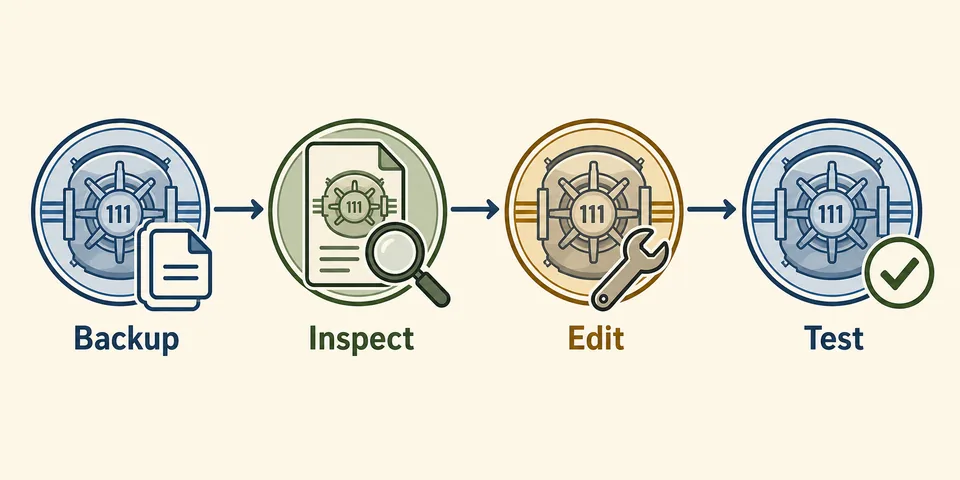
Season-related values are easiest to reason about when you compare two save snapshots instead of guessing. Make one backup before opening Fallout Shelter, play normally until a visible Season value changes, close the game completely, then copy the new save into a separate folder. If you decrypt both saves with the Save Decryptor, you can compare changed JSON areas without touching the active vault.
Look for patterns first: arrays that gained entries, counters that incremented, timestamps that changed, or reward flags that toggled after a legitimate claim. If the changed data is clearly progress-oriented and the surrounding structure stays consistent, you can document what happened. If the data looks like entitlement, purchase state, platform store cache, or a locked reward claim, leave it alone unless you are prepared to restore the original file immediately.
Fields that are safer to observe than edit
- Progress counters: useful for understanding what the game saved after normal play, but still test carefully before editing.
- Claimed reward markers: helpful for diagnosis when a reward looks stuck, but risky if you do not know the matching inventory state.
- Season identifiers: good for recognizing the active season, not a safe target for random replacement.
- Cached timers: easy to break if the game expects a specific format or platform-synced state.
Fields you should not force blindly
- Premium pass ownership: may be tied to platform purchase or entitlement checks outside the local save.
- Locked reward ownership: can conflict with inventory, claim history, or store state.
- Unknown nested objects: one changed value can depend on several nearby values.
- Live cloud state: Steam or mobile cloud sync can replace the file you thought you edited.
Safe Season Pass Save Editor Workflow
- Close Fallout Shelter. Wait until the game has finished writing the latest vault save.
- Copy the whole save folder. Keep
Vault1.sav, other vault slots, and any.sav.bkpfiles together. - Create a second comparison copy. Keep one untouched backup and one working file for inspection.
- Use the browser editor or decryptor locally. The main Fallout Shelter Save Editor handles common vault edits; the decryptor is better when you only need to inspect JSON.
- Change one thing only if the structure is clear. Do not combine Season Pass tests with max-value edits, equipment changes, or APK experiments.
- Restore and test the exact slot. The filename must remain
Vault1.sav,Vault2.sav, orVault3.sav; browser download suffixes can break the restore. - Reopen twice. Load the vault, let the game save, close, reopen, and confirm the state persists before making another edit.
Practical rule: if you cannot explain which visible in-game value a field controls, do not edit it. Compare saves first, then decide whether the change belongs in a guide, an FAQ, or a restore-only recovery note.
Safer vs Risky Season Pass Edits
| Action | Risk level | What to do instead |
|---|---|---|
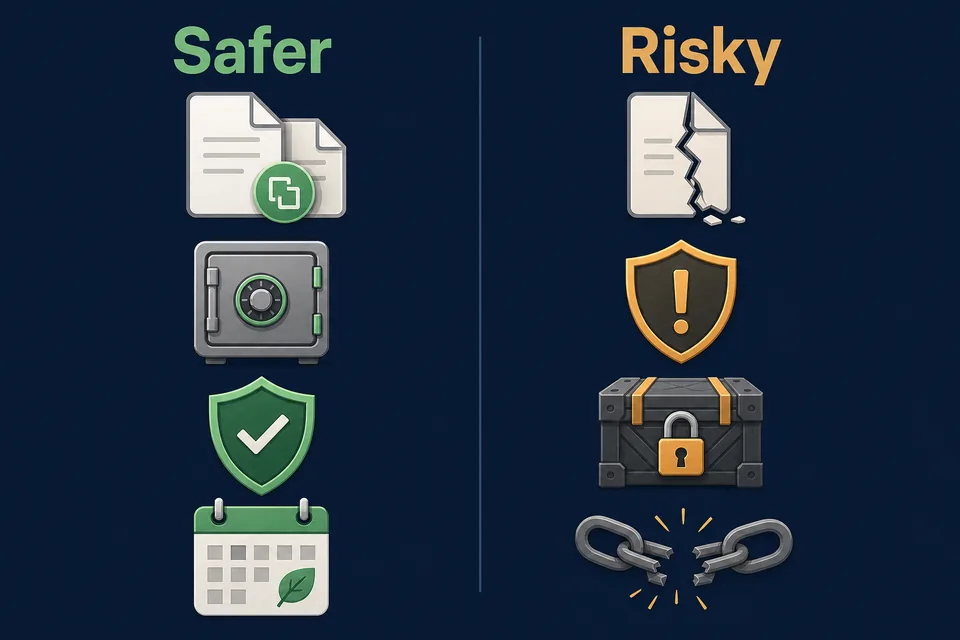
| Comparing two copied saves after normal season progress | Low | Use it for learning and documentation before making any changes. |
| Editing a visible progress counter after understanding the nearby structure | Medium | Change one value in a working copy, restore, and test through a full reopen cycle. |
| Forcing premium pass ownership or locked rewards | High | Do not do it; use normal in-game purchase/reward paths and keep the save recoverable. |
| Installing a random mod APK that claims Season Pass unlocks | High | Keep the official game app and edit only a copied save file if you need local testing. |
Platform Notes for PC, Steam, Android, and iOS
PC and Steam users usually have the easiest file access, but Steam Cloud can still restore an older vault if you launch too quickly or choose the wrong conflict option. Use the PC and Steam guide before Season Pass experiments if you are not sure which local file is active.
Android users should avoid treating "battle pass editor" as a reason to install a modified APK. The safer path is still the official game app, a copied vault file, and browser-based editing. If Android/data access blocks you, follow the Android save editor guide or the APK alternative guide rather than replacing the game.
iOS users usually need a backup extraction or device-management workflow. Do not expect a simple file manager path. If you want to compare Season Pass data, export the vault, keep the original backup untouched, and use the iOS save editor guide before restoring anything to the device.
| Platform | Best Season Pass check | Common mistake | Safer next guide |
|---|---|---|---|
| PC | Copy the active local vault, then compare JSON snapshots offline. | Editing the only file in the live save folder. | Platform save locations |
| Steam | Pause and control cloud timing before restoring a test file. | Letting Steam Cloud overwrite the edited vault during launch. | PC and Steam guide |
| Android | Keep the official app and copy the vault with a file manager, USB, or ADB. | Installing a random mod APK to chase Season Pass unlocks. | Android guide |
| iOS | Export through a backup workflow, inspect a copy, then restore carefully. | Expecting direct folder access or replacing an iCloud-backed vault blindly. | iOS guide |
Useful Sources and References
Use official Bethesda pages to understand the feature name and season structure, then use project/community sources only for local save-editor context. Community sources can help explain what players are trying to change, but they should not be treated as official purchase or entitlement documentation.
- Bethesda Support: Season Pass in Fallout Shelter
- Bethesda: Fallout Shelter Seasons launch article
- Bethesda Fallout Shelter official page
- Rakion99 shelter-editor project
- Fallout Shelter on Steam
FAQ
Can a Fallout Shelter save editor change Battle Pass or Season Pass data?
It may expose season-related local save fields when they exist in the copied vault file. Treat those fields as fragile progress records. Back up first, compare before/after saves, and avoid premium-bypass edits.
Is Battle Pass the same as Season Pass in Fallout Shelter?
Players often search for Battle Pass, but Bethesda's public wording uses Seasons and Season Pass. This guide uses Battle Pass for the search phrase and Season Pass for the in-game feature name.
Can I unlock the Season Pass for free by editing Vault1.sav?
Do not rely on that. Premium ownership may involve platform purchase or entitlement state outside the local save. Forcing guessed fields can corrupt the vault or create a change that reverts later.
What should I do if a Season Pass edit breaks my vault?
Restore the untouched backup first. If you only have a .sav.bkp or the vault no longer appears, use the save repair guide before making more edits.
Should I use the main editor or the Save Decryptor?
Use the main editor for normal vault resources, dwellers, rooms, and common fields. Use the Save Decryptor only when you need to inspect JSON structure or compare two copied saves.
Final Recommendation
The safest answer to the Fallout Shelter save editor battle pass search is not a one-click unlock. It is a careful local save workflow: identify that the feature is Season Pass, back up the vault, compare copied saves, avoid premium-status guesses, and test only small reversible changes. If your goal is ordinary resources, lunchboxes, dwellers, or equipment, use the existing save editor guides instead of editing unknown season fields.