Fallout Shelter Cheats 2026: Codes, Save Editor, and Safe Vault Edits
If you are looking for Fallout Shelter cheats, the most useful answer is this: there is no dependable official console-code list that unlocks everything in the current game. Most working "cheats" are really save-file edits. That can be useful for caps, lunchboxes, dwellers, rooms, and recovery testing, but the safe path is to edit a copy of Vault1.sav, keep a backup, and avoid random APKs or memory tools unless you understand the risk.
Quick Answer
- Official cheat codes: do not rely on code lists. Treat "redeem code" pages carefully unless Bethesda announces a real promotion.
- Best practical method: use the Fallout Shelter Save Editor on a copied
.savfile. - Highest-risk methods: modded APK downloads, random cheat apps, and live memory edits on your only vault.
- Safest first edits: caps, food, water, energy, a small lunchbox count, or one dweller's SPECIAL stats.
Are There Official Fallout Shelter Cheat Codes?
Fallout Shelter does not behave like Fallout 3, Fallout: New Vegas, or Fallout 4 on PC, where players often search for console commands. In Fallout Shelter, the usual cheat searches point to four different things: claimed redeem codes, save editors, Cheat Engine tables, and modified mobile APKs. Those are not the same thing, and mixing them up is where players lose saves.
For 2026, the most realistic expectation is that a "Fallout Shelter cheats" page should explain what can be changed in a local vault save and what cannot be trusted. If a page promises a permanent list of fresh official codes, unlimited purchases, or one-click server rewards, be skeptical. Fallout Shelter is mostly a local single-player vault, so practical edits usually happen by changing the local save file and then restoring it to the right platform folder.
| Search term | What it usually means | Safer interpretation |
|---|---|---|
| Fallout Shelter cheats | General shortcut intent: caps, lunchboxes, faster progress, stronger dwellers | Edit a copied save and test small changes first. |
| Fallout Shelter codes | Often asks for redeem codes or gift codes | Do not assume a code is real unless it comes from an official Bethesda channel. |
| Fallout Shelter Cheat Engine | Live memory editing on PC | Riskier than save editing because values can be temporary, misidentified, or unstable. |
| Fallout Shelter mod APK | Modified Android app package | Avoid unknown APKs. Copy the official game's save file and edit the save instead. |
Best Fallout Shelter Cheat Method: Edit a Save Copy
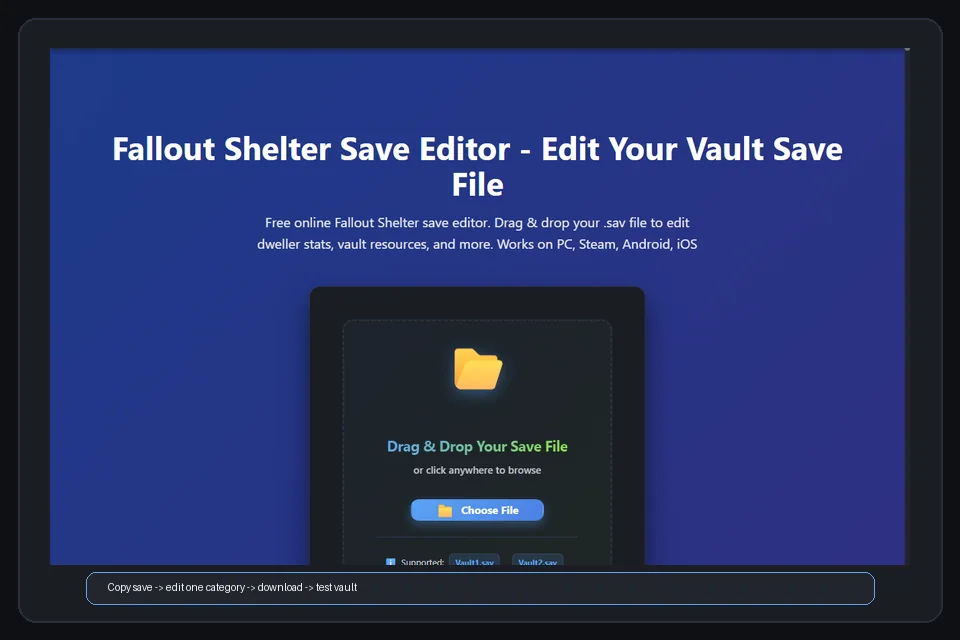
The safest cheat-style workflow is boring on purpose. Close Fallout Shelter, find the active vault save, copy it outside the game folder, edit that copy, download the edited file, and restore it only after preserving the original. The public Rakion99 editor describes itself as a web app for changing Fallout Shelter save games, including dwellers, SPECIAL, other stats, and vault resources. You can inspect the open-source project on GitHub or compare the live editor behavior against this site's step-by-step save editor guide.
Save editing is not magic. It is a structured file workflow. If the file is wrong, the slot is wrong, or a cloud service restores an older copy, the cheat did not fail because the value was impossible; the restore path failed. Bethesda notes that Steam players can use Steam Cloud for Fallout Shelter vaults, and mobile players can restore cloud vaults through the vault list. That means cloud sync can help recovery, but it can also replace the file you just edited if you do not control the timing.
Important: never test cheats on your only save. Keep one untouched folder copy, one working copy for editing, and one restored file that you can delete if the test fails.
What You Can Safely Change
Caps, food, water, energy, stimpacks, and RadAway
Resource edits are the easiest first test because they are visible immediately after the vault loads. Add enough caps or supplies to solve the bottleneck, then launch the game, spend or produce one cycle, close, reopen, and confirm the numbers persist. For very high caps or resource totals, follow the safe max values guide instead of typing the biggest number the field accepts.
Lunchboxes, Mr. Handies, pet carriers, and starter packs
Unlimited lunchboxes is a common cheat search, but a controlled batch is easier to verify. Add a small number, open several boxes, confirm rewards appear normally, and save the game again. If you add a huge count and something breaks, you will not know whether the problem came from the count, the restore path, the slot, or another edit you made in the same pass.
Dwellers, SPECIAL stats, happiness, and health
Dwellers are more complex because each dweller can have name, gender, appearance, health, radiation, level, equipment, pregnancy state, room assignment, and wasteland state. If your goal is stronger dwellers, set base SPECIAL values to normal maximums first. If your goal is rare characters, use the legendary dweller editing guide before changing many IDs or equipment fields at once.
Rooms, recipes, rocks, themes, and survival mode
Unlock buttons can be convenient, but they still deserve a backup. Remove rocks, unlock recipes, or switch themes in a separate test from resource and dweller changes. When a vault stops loading, a smaller edit history makes recovery much faster.
Season Pass and Battle Pass searches
If your cheat search is specifically about seasonal rewards, Battle Pass wording, or Fallout Shelter Season Pass data, use the Season Pass save editor guide instead of guessing premium fields inside a copied save. That page explains what is safer to inspect, what should remain untouched, and how to compare two vault snapshots before testing any change.
Fallout Shelter Cheats by Platform
| Platform | Practical cheat route | Main risk | Guide |
|---|---|---|---|
| PC / Bethesda launcher | Copy Vault#.sav, edit in browser, restore while the game is closed |
Editing the wrong slot or an old backup | Save file locations |
| Steam | Edit the local save, then manage Steam Cloud timing before launch | Steam Cloud restoring the old vault | PC and Steam guide |
| Android | Copy the official app's vault save, edit in browser, restore the same slot | Android 11+ file access restrictions and unsafe APKs | Android guide |
| iPhone / iPad | Extract save through a device backup workflow, edit, then restore | Expecting a direct file manager path on iOS | iOS guide |
SteamDB lists Fallout Shelter under app ID 588430 with cloud-save configuration data, and Bethesda's support page explains that Steam players can use Steam Cloud for vaults. Those sources support the same practical warning: do not treat the local file as isolated when cloud sync is enabled. If the edited save disappears or rolls back, use the save repair guide before overwriting more files.
Step-by-Step Safe Cheat Workflow
-
Close Fallout Shelter completely On PC and Steam, wait a moment after closing so the game finishes writing the latest
.savfile. On mobile, avoid toggling cloud save while you are copying files. -
Copy the whole save folder Do not copy only one file if backups are present. Keep
Vault1.sav,Vault2.sav,Vault3.sav, and matching.sav.bkpfiles together. -
Edit one cheat category Start with caps, supplies, a small lunchbox count, or one dweller. Avoid combining Cheat Engine, manual JSON edits, and browser save editing in the same test.
-
Restore the edited file to the exact slot The filename must remain exact, such as
Vault1.sav. Watch for browser names such asVault1 (1).savor hidden.jsonextensions. -
Launch, save, close, and reopen A cheat is not verified until the vault loads, the value appears, the game saves again, and the same vault opens after a restart.
Cheat Methods to Avoid or Treat Carefully
Random Fallout Shelter redeem code pages
Code pages are attractive because they sound simple. The problem is that many are thin lists, old claims, or generic "codes updated" posts with no official source. If a code is real, it should be traceable to Bethesda or a platform promotion. Do not install software, complete surveys, or provide account details to test a claimed code.
Cheat Engine tables
Cheat Engine can work for some PC games, but live memory editing is less predictable than file editing. You may change a displayed value without changing the saved value, or you may change the wrong process value. If you already have a stable file editor workflow, use that first because the resulting .sav is easier to back up, compare, and restore.
Modded APK downloads
Modded APKs are not necessary for most Fallout Shelter cheat goals. They can expose you to malware, old game builds, broken cloud behavior, or app signatures that no longer match the official install. The safer Android route is to keep the official app, copy the vault save, and edit the save file in the browser.
Useful Official and Project Sources
For cloud behavior, use Bethesda's support notes for PC cloud saving and mobile cloud restore. For Steam file and cloud context, check SteamDB's Fallout Shelter cloud saves page. For old APK-style editor searches, use the Pimp My Vault alternative guide before installing a third-party tool. For the editor lineage, inspect the Rakion99 shelter-editor repository.
Practical rule: a cheat guide is useful only if it helps you keep the vault recoverable. If a method starts by deleting backups, installing an unknown APK, or disabling file visibility, choose a safer path.
FAQ
Are there official Fallout Shelter cheat codes?
Do not rely on a permanent public code list. Fallout Shelter cheat searches are usually about save editing, resource changes, Cheat Engine, or modded APKs rather than official console commands.
What is the safest Fallout Shelter cheat method?
Copy your vault save, edit the copy in a browser save editor, keep the untouched original, restore the edited file to the same slot, and test one category of changes at a time.
Can I get unlimited lunchboxes in Fallout Shelter?
A save editor can change lunchbox-related values, but do not start with a huge number. Add a small test batch, open several boxes, save the game, and confirm the vault still loads after restart. Use the Mr. Handy guide for similar small-batch advice around Mr. Handies, repair, and floor assignment.
Are Fallout Shelter cheats safe on Android?
They are safest when you keep the official game app and edit a copied save file. Avoid unknown APKs that promise unlimited currency, because they can create security and compatibility risks.
Why did my cheat changes disappear?
The usual causes are restoring the wrong slot, leaving the game open, hidden filename extensions, Steam Cloud or mobile cloud replacing the edited file, or downloading the edited file without renaming it back to Vault#.sav.
Final Recommendation
Use Fallout Shelter cheats as a controlled save-editing workflow, not as a random download hunt. The best results come from small, reversible edits: add practical resources, test lunchboxes in batches, improve one dweller group, and keep clean backups. That gives you the benefit people expect from cheats while preserving a vault you can recover if a value, filename, or cloud-sync step goes wrong.